.svg)
QualityWorX: Use plant-floor data to improve product quality, efficiency, and traceability



QualityWorX Database
Collect and store data from nearly any process or test across your line—or your whole enterprise. See which standard and custom types of data we collect
Sciemetric Studio Analytics
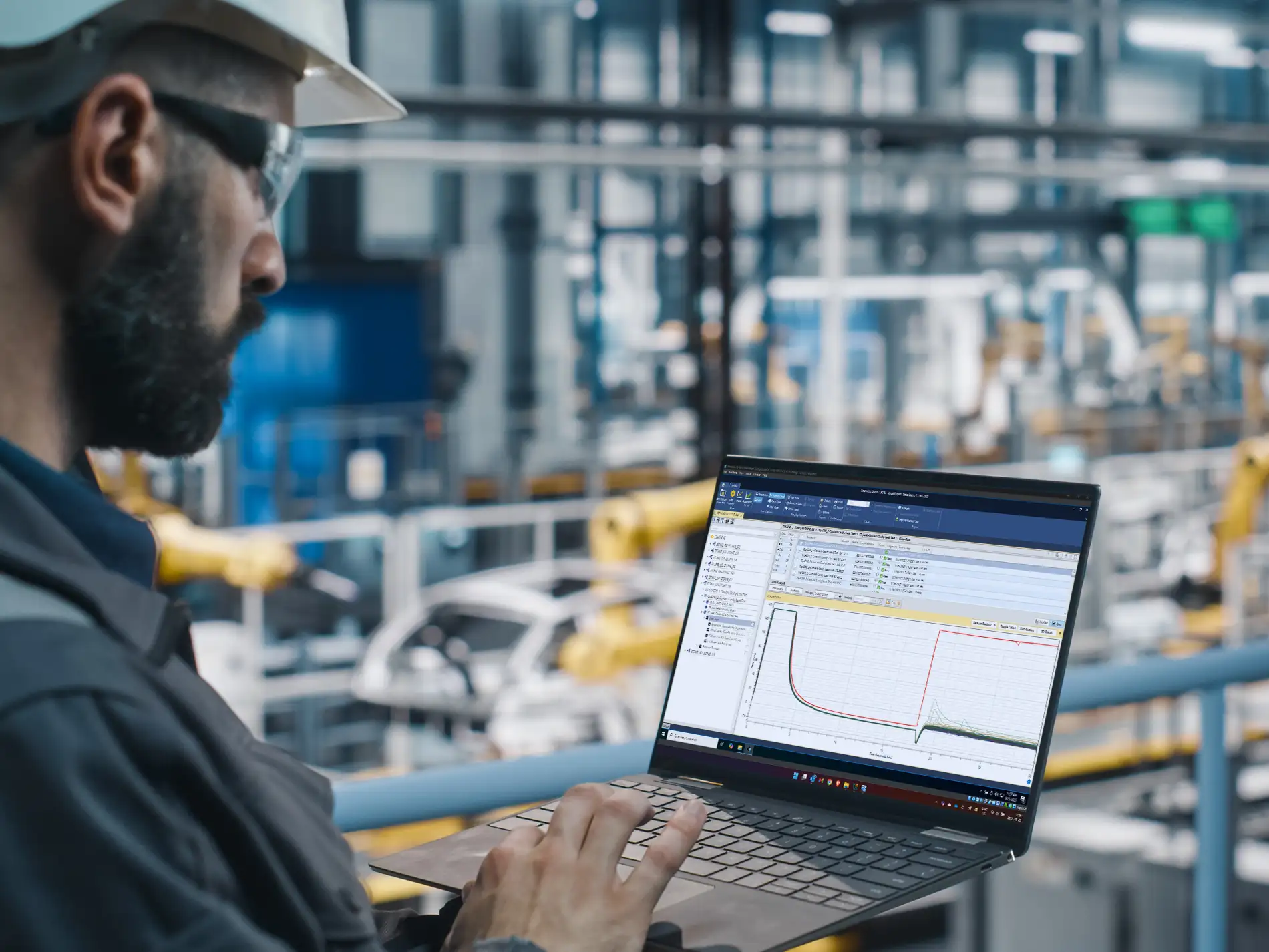
Enable quick, in-depth analysis, including live out-of-control data detection and alerts with the QualityWorX Anomaly Detection Engine or the SPC and Nelson Rules Engine, root cause analysis, “what if” offline analysis, and much more!
QualityWorX Reporting Service
Access data from QualityWorX for custom reports and dashboards, ensuring maximum customization and flexibility. Our API makes it easy to connect your preferred BI tools (i.e. Tableau, Excel, etc.) to your data—with standard Power BI report templates to help you get started.Learn more about QualityWorX products

QualityWorX is built with every stage of digital transformation in mind—from simply starting to digitize paper-based reporting methods at one test station, to standardizing your data and reporting tools across every station in your enterprise for global quality control and consistency. Wherever you are in the journey, QualityWorX has a solution for your needs and our expert team is here to help every step of the way!


COLLECT ALL TYPES OF MANUFACTURING DATA
QualityWorX allows you to collect data from across your production line, including digital process signatures, scalar datapoints, and machine vision images, so no process or test goes unexamined. The gateway's powerful parsing engine can ingest any human-readable or defined data format and is fully customizable for compatibility with proprietary and private formats—even if it’s not supported now, we can build new data interfaces to ingest any new data. Our list of current specialized connectors is wide and growing, including the connectors and gateways linked below.
SEE WHICH TYPES OF DATA WE COLLECT
ORGANIZE DATA BY SERIAL NUMBER
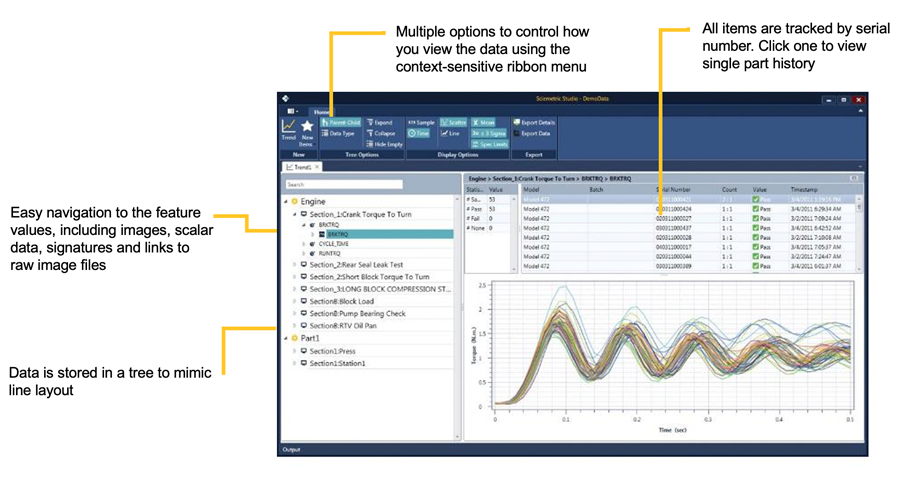
In QualityWorX, data is stored by serial number and organized in a tree structure that mimics the line. You have a full replay of each process in the plant at your fingertips for quicker and more accurate defect detection and problem resolution.
USE DATA-DRIVEN INTELLIGENCE TO OPTIMIZE YOUR STATION PERFORMANCE
Sciemetric Studio enables quick, in-depth analysis of production data from across your plant floor and enterprise. With Sciemetric Studio, you can analyze trends and find deviations in your process before they affect downstream production. Within hours—not days or weeks—you’ll be resolving issues faster and proactively managing your factory.
Sciemetric Studio allows you to:
- Monitor production data for real-time process trending alerts
- Drill down into data to determine the cause of a part failure
- View the complete data history for a part
- Optimize test limits
- Evaluate the effectiveness of a test
- Compare and trend information across stations to determine variations
- Re-process and analyze part data offline
- And more!
ACCESS SCALABLE DATA ANALYSIS FOR YOUR NEEDS
Sciemetric Studio comes in several tiers to meet your needs. Manufacturers can choose between:
- Studio LT, which gives you simple and quick data review from a few stations
- Studio SE, which supports larger local or enterprise-wide data analysis
- Full QualityWorX packages, which scale across digital maturity levels, from manual operations to smart factories
ACCESS MULTIPLE TREND AND SPC REPORTS
Trend waveforms or features:
- Statistics: part counts, pass/fail count, statistics for features
- List of items in the data selection provided
- Histogram of values
- Trend by serial number or time stamp
- Station/Task: Pareto or trend of judgment
- Overlay hundreds or thousands of waveforms
- Filmstrip view of images
- Histogram and trend of feature values and ranges
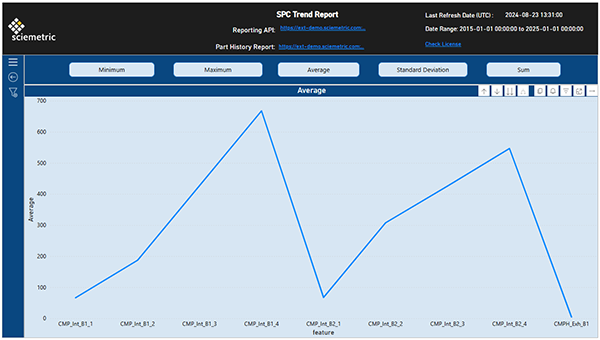
- SPC trend
SPC reports:
- X-Bar-R
- X-Bar-S
- I-MR-R, which can plot by batch/batch control
- I-MR-S
The X-Bar-S and I-MR-S reports can be dynamic based on custom grouping and feature process capability statistics (Cp, CpK)
SEE IT IN ACTION
GET STARTED QUICKLY WITH STANDARD REPORTS
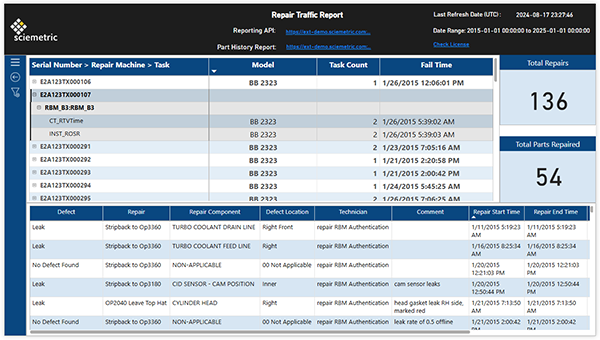
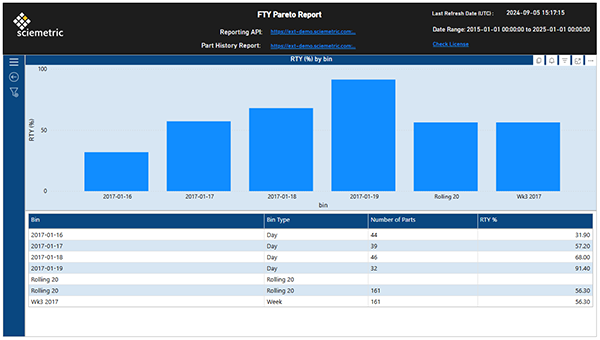
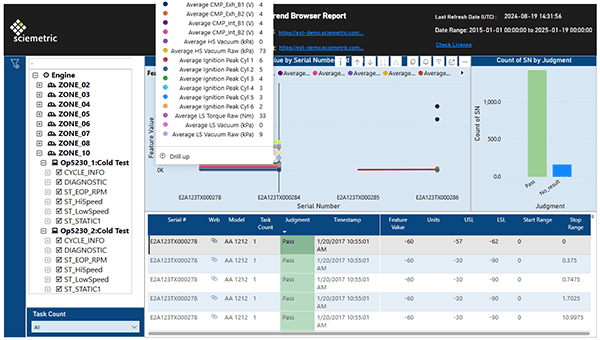
Standard reports available with the QualityWorX Reporting Service are as follows:
- FTY Pareto
- First Time Yield (FTY)
- Summary Report
- Trend Browser
- Failure Report
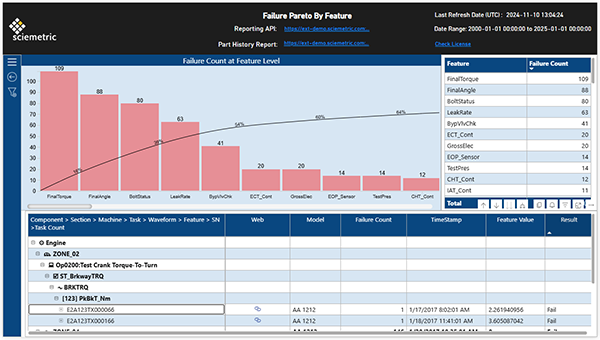
- Failure Pareto
- Repair Traffic
- Defect Pareto
- Analysis Grid
These reports can be used as is or easily customized, if desired.
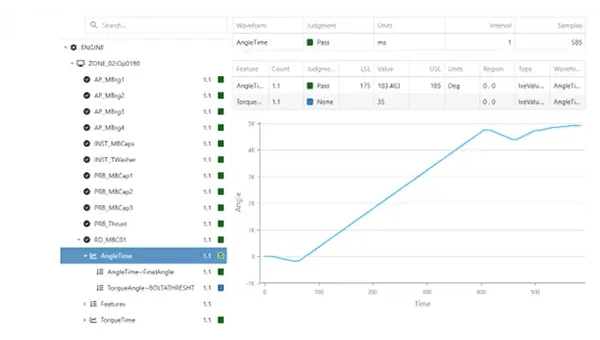
See how QualityWorX is used to improve product quality, efficiency, traceability, and more!

INVESTIGATE
Quality issue? Recurring slow down and bottlenecks on the line? With the right tools, you can use your process data to investigate and diagnose the issue—fast!Learn more

STAY ALERT
Catch defects in real-time and set up parameters to be notified when processes are trending in a way that could affect quality—before defects happen!Learn more

REPORT
When you need to report on your product quality and manufacturing performance, do it without the spreadsheets. Choose from popular templates and customize for your needs.Learn more

COMPARE
Whether it’s parallel stations or cloned production lines at another location, use Sciemetric’s visualized data analytics to compare and improve performance, and ensure consistent quality.Learn more

BOOST PRODUCTION
Use your data to identify bottlenecks, decrease cycle time, fix upstream issues, and more to boost manufacturing production—all while improving product quality.Learn more
TRACE PARTS
Whether it’s investigating a quality spill or reporting on a batch of parts for a customer, Sciemetric provides a clear, simple system to collect, organize, and store data for full traceability.Learn more
MANAGE A SPILL
Despite best efforts, defects can happen. Your ability to manage it is what makes the difference. Sciemetric helps you trace root cause and identify (and eliminate) the affected parts by serial number.Learn more

OPTIMIZE TESTS
Use your process data to eliminate guesswork and trial-and-error during test set up and access the information you need to continuously optimize your tests to reduce failure rates, improve cycle time, boost production, and more.Learn more

IMPROVE QUALITY
Sciemetric’s solutions give manufacturers the data and the tools they need to investigate and improve product quality and build parts right the first time—boosting efficiency and FTY, FTT.Learn more